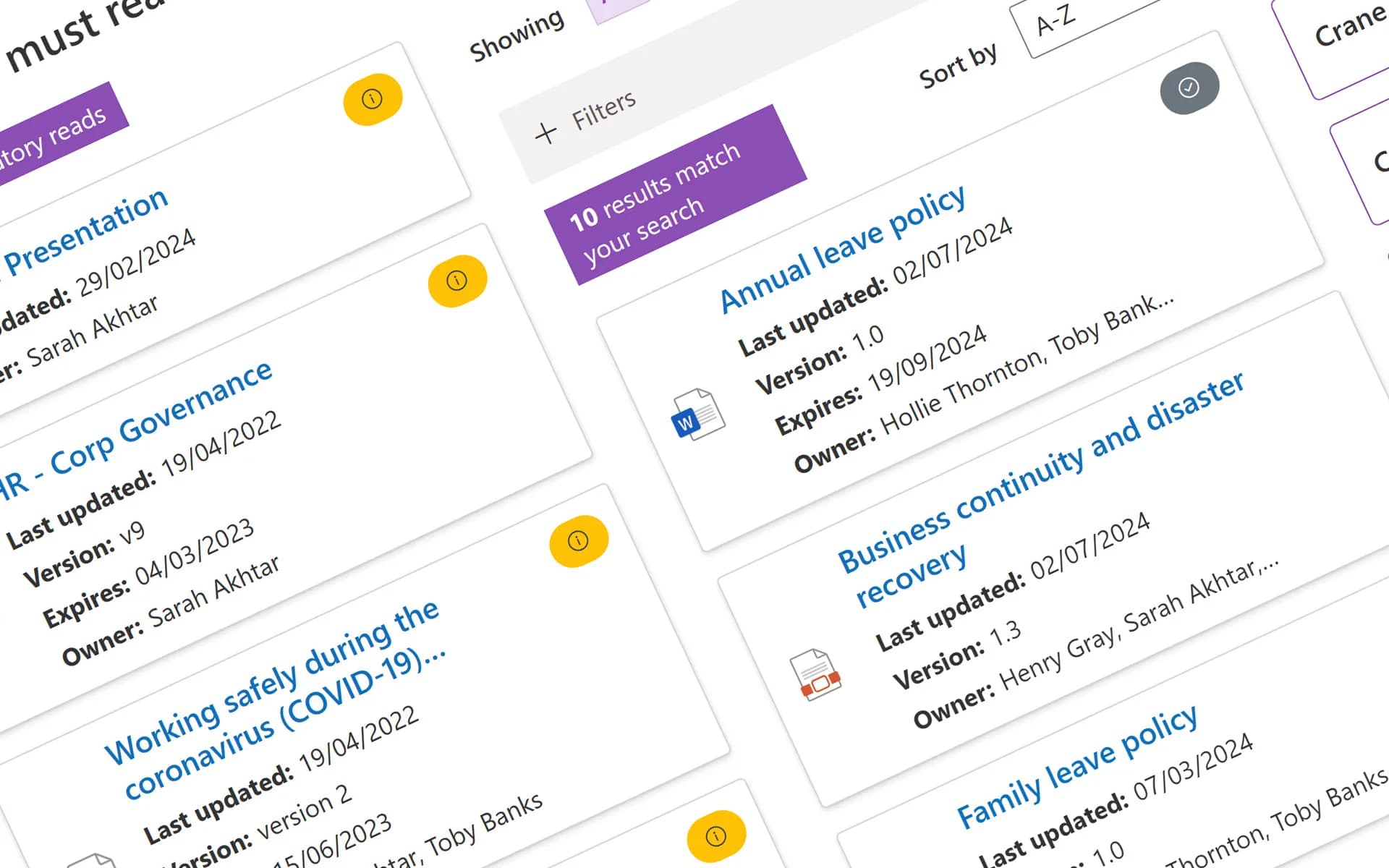


SOP and work instruction management for SharePoint and Microsoft 365

Create, review, approve, distribute and track the standard operating procedures that keep day-to-day operations consistent and compliant. Get the right procedure to the right people at the point of doing the task, and prove they read and understood it.

  • G2 Summer 2026 - Policy Management - Momentum Leader
  • G2 Summer 2026 - Policy Management - Easiest To Use - Mid-market
  • G2 Summer 2026 - Policy Management - High Performer

Who this is for

  • Heads of operations

    You are accountable for staff following the documented way of working.

  • Operations and process improvement leads

    You need a place to store and govern procedure documentation so that people use the right version every time

  • Quality and management system owners

    Certification bodies and regulators want to see that a defined process exists, and increasingly that people actually follow it.

  • For IT and Microsoft 365 owners

    You want SOPs in the same platform your organisation already lives in day to day, not in a bolt-on system with its own login and its own search index.

SOP management in SharePoint

Get the right procedure to the right people

Ask five people where the current SOP for a task lives and you'll probably get five different answers. Here are the six things that change with Xoralia.

01 · One SOP library

One trusted SOP library, reachable from anywhere

Xoralia builds a single, trusted SOP library on top of SharePoint that's reachable by anyone with a Microsoft 365 licence - from the office, out in the field, on a factory floor, or working from home. SOPs turn up in Microsoft search, inside your SharePoint intranet and in Microsoft Teams.

What this fixes

  • SOPs live in a shared drive, an old intranet page, an emailed PDF and a laminated sheet
  • Frontline staff can't reach the SOP at the moment they're doing the task
  • SOPs sit in a separate system that enterprise search can't see

~20%

of the working week goes on looking for internal information or tracking down colleagues who can help with a task. McKinsey Global Institute


02 · Review and approval

Every SOP goes through a predefined review and approval workflow

Build workflows to match how each type of SOP is reviewed, with as many review and approval stages as you need and the right people named at each step. Xoralia chases reviewers and approvers so tasks are done on time, and logs every review, approval and version as it happens.

What this fixes

  • Reviews and approvals happen in email and track changes, and the record ends up everywhere
  • Updates get published before the right people have reviewed them
“Ensuring the proper approvals are completed by the correct parties.”
Amanda Jordan, Prevail Bank · Read the case study

03 · Role and location

Each person sees the SOPs for their role and location

Different versions for different countries, languages and roles stay separate. Employees browse by department, owner, role or location, with results personalised to who's actually looking, so a crane operator or a nurse reaches the procedure they need without a search.

What this fixes

  • The wrong version ends up in front of the wrong person
  • Staff wade through a library of thousands of documents to find one procedure

04 · Targeted changes

Changes reach the people they affect, and nobody else

Not every SOP update deserves a company-wide alert. Xoralia uses your Microsoft 365 groups and profile data to notify only the people affected by a change, and can run on autopilot, for example repeating annually or triggering automatically for new joiners.

What this fixes

  • SOPs change often and people lose track of which version to follow
  • Every change is announced to everyone, or to no one

05 · Proven understanding

Proof that people understood the SOP, not just opened it

Assign SOPs as mandatory reads and add optional comprehension quiz questions with a pass rate, so "read and understood" is backed by more than a click. Line managers see exactly which mandatory SOPs their team has read and understood.

What this fixes

  • Nobody can show an auditor that people read the procedure
  • Acknowledgement is a click, with no evidence of understanding

06 · Ownership and review

SOPs don't lose their owner or review date when people move on

Reviews and approvals can go to Active Directory groups for your reviewer and approver roles, and reporting flags orphaned SOPs so a new owner is quick to assign. Review cycles trigger on a schedule, not on someone's memory, and reporting shows owners exactly what's overdue.

What this fixes

  • SOPs are owned by whoever happened to write them
  • Updates stop until an audit forces the question

Also included: version history built on SharePoint, and SOPs and policies managed from the same library, with documents that never leave your Microsoft 365 tenant.

See all features

Case studies

Oxford University Innovation

Oxford University Innovation

Standard Operating Procedures (SOPs) relating to protecting intellectual property and areas such as anti-fraud and anti-bribery must be watertight.

Prevail Bank builds bank-wide document management on Xoralia

Prevail Bank

A US community bank runs Xoralia as its SharePoint document management system: 900+ procedures, reference guides, forms, videos all with department-level permissions and multi-step approval workflows.

  • G2

    G2 review

    “We have a large number of corporate policies as well as manufacturing SOPs that require documented attestations of compliance as well as a documented review process. Xoralia provides this functionality in an easy to use tool that sits on top of our existing SharePoint document libraries.”

    Aaron Nielson

    Security Systems Architect

  • G2

    G2 review

    “The policy approval workflows are perfect for us to build customisability into our processes - streamlining policy approval and creating a more structured process for policy reviews.”

    Samuel K.

    Quality and Audit Officer

Industries

Frequently asked questions

What is SOP management software?
SOP management software is a dedicated system for creating, distributing, version-controlling and tracking the standard operating procedures that keep day-to-day operations consistent and compliant. It goes further than a shared drive or a general document library by adding structured review cycles, targeted distribution by role or location, employee attestation, and audit-ready reporting. For a longer explanation, read our guide to SOP management.
Is SOP management software different from policy management software?
Not usually, in practice. Most platforms in this space manage SOPs and policies on the same underlying system - the same creation, review, approval, distribution and attestation lifecycle applies to both. SOPs tend to be more detailed, changed more frequently, and needed at the point of doing a task rather than at a desk, but that's a difference in emphasis, not a different product category.
Do I need separate software for SOPs and general policies?
No - and generally you shouldn't want to. Running SOPs and policies through separate systems doubles the administrative overhead and gives employees two places to check instead of one. Look for software built to handle both from the same library.
Can SOP management software integrate directly with SharePoint and Microsoft 365?
Yes. SharePoint-native SOP management software builds directly on top of SharePoint's document library and version history rather than connecting to it as an external system. That gives you single sign-on, native search integration, and access through Teams and your existing intranet, rather than a separate login and a separate search index to maintain.
Can SOPs go through a review and approval workflow?
Yes. You can create different workflows for different types of SOP, with as many review and approval stages as you need and the right people named at each step. Xoralia chases reviewers and approvers so tasks are done on time, and keeps an audit trail of every review, approval and version. See automated workflows.
Can we test that people understood an SOP?
Yes. You can assign a comprehension quiz that tests employees' knowledge and understanding of an SOP, and set a mandatory pass rate. Results are kept in the audit trail alongside who read which version and when.
How do you actually get employees to follow the SOPs you publish?
Software alone won't do it - findability and attestation only work if the SOPs themselves are accurate and written by, or with input from, the people who actually do the task. Where software helps most is closing the gap between "we published it" and "we can prove people read and understood it," which is where most manual processes quietly fall apart.
What features should I look for in SOP management software?
At minimum: a central, searchable library; version control that scales with volume; role- and location-based targeting; employee attestation with reporting; and automated review cycles so updates don't depend on one person remembering. If your organisation is on Microsoft 365, native SharePoint integration is worth prioritising over a standalone system with its own login.

See Xoralia inside Microsoft 365 Book a demo or start a free trial.