Platform · Document library

A SharePoint document library where every document is easy to find

One source of truth for every policy, procedure and controlled document, across your SharePoint libraries in Microsoft 365. Employees search by keyword, category and tag, ask questions in plain English, and see the documents that matter to them on their own dashboard.

Your SharePoint document library in Microsoft 365

What changes with Xoralia

Six things that change when your document library runs on Xoralia, and the problems each one removes.

03 · Personal dashboards

Every employee sees the documents that apply to them

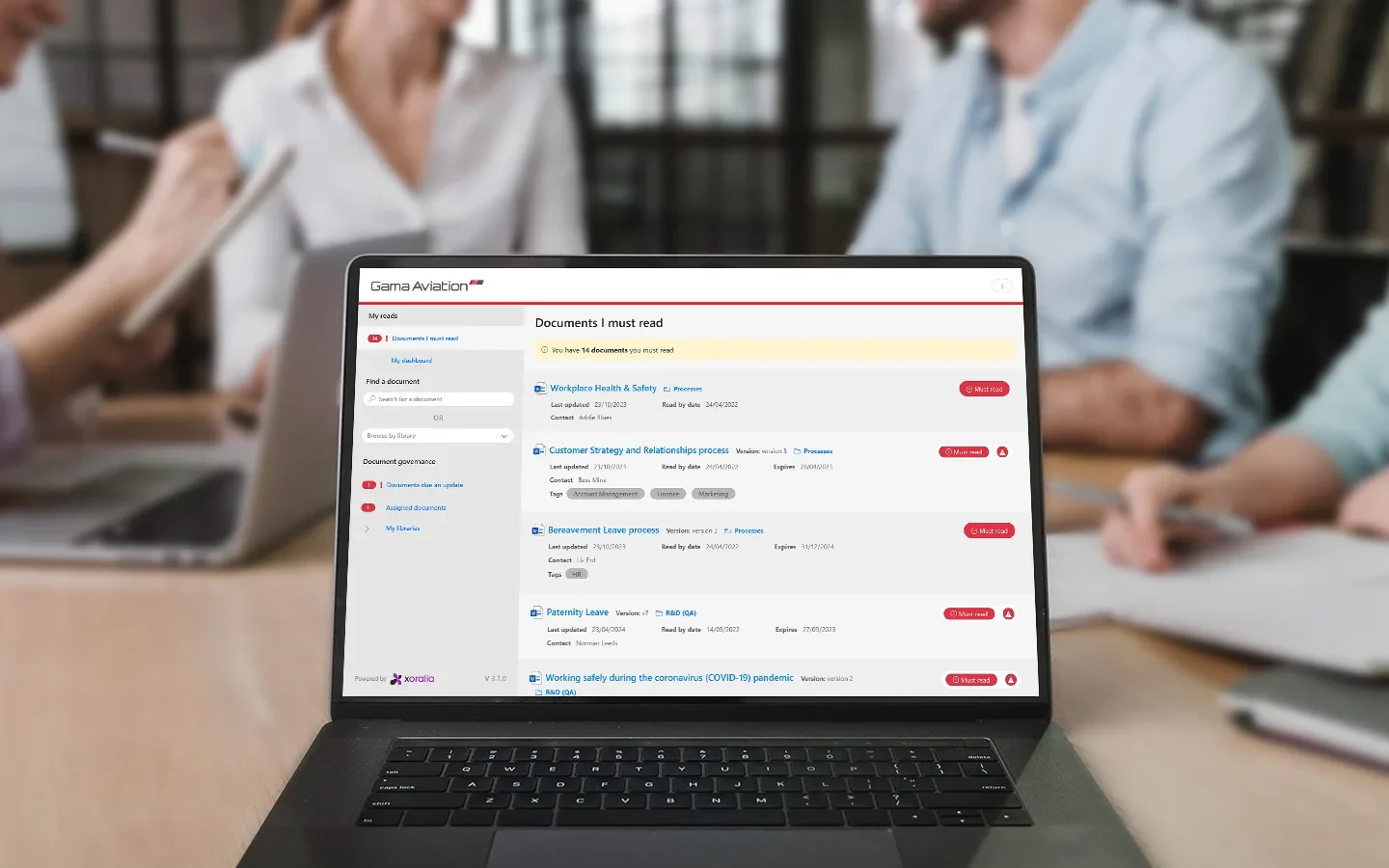
Each employee gets a dashboard that gathers the policies, procedures and controlled documents that matter to them: mandatory, recommended and favourites. New starters see their must-reads from day one, with regular alerts listing what they still need to read and by when.

What this fixes

  • Staff unsure which documents apply to them
  • New starters left to find documents on their own

04 · Targeted publishing

Mandatory for some, recommended for others

Publish live documents to specific audiences based on groups, roles, departments and locations. Make a document mandatory for one audience and just recommended for another, so people are not buried in documents that are not for them.

What this fixes

  • Everyone told to read everything
  • Distribution lists kept up to date by hand

05 · Linked documents

Related documents kept together, and kept in step

Link a procedure to the policy it depends on, or a form to its parent guideline. Readers see linked documents as suggested related reading, and linked owners are notified when a related document is updated, republished or expires. Links never grant extra access.

What this fixes

  • Readers seeing one document without the full picture
  • Related documents drifting out of step

06 · Version control

One current version, with the full history behind it

Each policy, procedure or controlled document stays as one file in its SharePoint library and is updated in place, so its assignments and read history carry over to the new version. Readers see the version number your document owner sets, not every minor save, and that number is logged each time someone attests. SharePoint version history keeps every earlier version, so owners can refer back to one or restore it.

What this fixes

  • Several copies of one document, each called v1, v2 or final
  • No record of which version someone actually read

Finding a document is the first step. See how attestation makes sure people read the ones that matter.

Attestation and quizzes

How it works

From approved document to the right reader, in four steps

  • 01

    Publish

    One approved version

    Documents are published to the library once they pass the workflow.

  • 02

    Target

    To the right audience

    Mandatory or recommended, by group, role, department or location.

  • 03

    Find

    Search, filter or ask

    Keyword, category and tag search, or a plain-English question.

  • 04

    Read

    On their own dashboard

    Each employee sees their must-reads, recommended reads and favourites.

Case studies

Xoralia drives compliance for US financial services

US financial services organisation

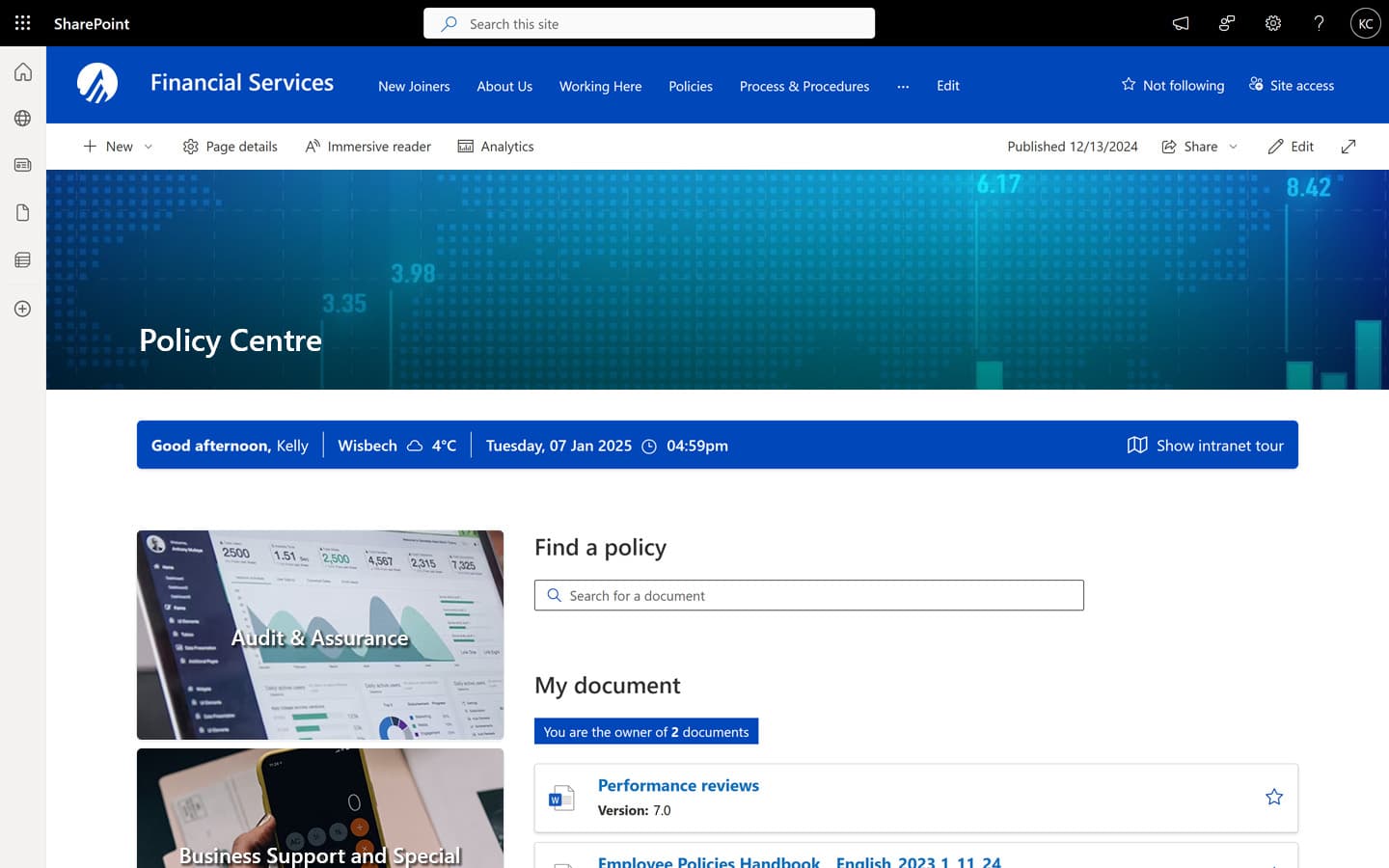
An insurance and financial planning organisation replaced a legacy system with a branded policy centre and enterprise search, so documents are easy to find, with no duplicates and everything up to date.

Gama Aviation in Xoralia

Gama Aviation

A global business aviation provider brought more than 5,000 policies, procedures and forms into one site, available on mobile, in Teams and on the electronic flight bags crew already carry.

Frequently asked questions

What's the difference between a document repository and a full document management system?
A repository is central storage: a place to find the latest version of a document. A full document management system adds the workflow around it: version control, approval routing, mandatory-read attestation, and reporting on who has and hasn't acknowledged each document. Many organisations start with the former and outgrow it once compliance or audit demands increase.
How can HR teams manage their policies, procedures and other documents in Xoralia?
HR teams can upload, categorise and update documents in Xoralia directly from SharePoint. Automated workflows handle version reviews, publishing and staff acknowledgements.
Can employees read documents on mobile?
Yes. The document library is mobile optimised, so employees can access documents on the move.
Does AI search show people documents they should not see?
No. Answers are permission-trimmed, so people only ever see content they're already entitled to access, with clickable references back to the exact document.
How do permissions work in a SharePoint document library with Xoralia?
Xoralia works with your existing SharePoint permissions. When someone browses or searches the library, Xoralia asks SharePoint as that signed-in person, so they only see documents they already have access to. Xoralia administrators can also choose who is allowed to add documents to a library without IT changing SharePoint permissions, and you can limit who can use Xoralia at all to chosen users and groups in Microsoft Entra ID.
How does version control work, and can we roll back to a previous version?
Each document stays as one file in its SharePoint library and is updated in place, keeping its SharePoint document ID, so its assignments and read history carry over to each new version. The document owner sets the version number shown in Xoralia, for example 1.6 for a new paragraph or 2.0 for a rewrite, and that number is recorded with every attestation. If people need to read the new version, the owner marks them as not read and Xoralia reminds them. With versioning switched on for the library, SharePoint version history keeps every earlier version, so you can roll back to a previous version in SharePoint.

Ready to get started?

Connect with us to see how Xoralia simplifies compliance management inside Microsoft 365.