Platform · Microsoft 365 and SharePoint

SharePoint & Microsoft 365 integration for policies, procedures and controlled documents

Xoralia is built for Microsoft 365, SharePoint and Microsoft Teams. It has deeper integration with Microsoft 365 than any other document management solution.

Built for Microsoft 365

What changes with Xoralia

Five things that change when your documents are managed inside Microsoft 365, and the problems each one removes.

01 · Access in the flow of work

Documents where people already work, with nothing new to log in to

Xoralia works in the Microsoft interfaces employees already use. People sign in with their Microsoft Entra ID credentials and open documents from your SharePoint intranet, Microsoft Teams and mobile devices. Gama Aviation staff who don't sit at a desk use the SharePoint mobile app or the Teams app.

What this fixes

  • Another system and another password for staff
  • Documents out of reach for people away from a desk

02 · Entra ID targeting

Target documents with the groups you already have

Target policies, procedures, controlled documents, mandatory reads and reminders to groups and individuals using your existing Microsoft Entra ID or Microsoft Teams groups. Reminders for attestation tasks and document changes reach people through Outlook, and recurring reminders go automatically to Entra ID groups such as new starters.

What this fixes

  • Rebuilding your org structure in another system
  • Reminders that never reach the right people

03 · Copilot and AI search

One source of truth for Copilot and SharePoint search

Keep approved documents in Xoralia as the one source of truth, ready for Copilot for Microsoft 365 and easy to find with SharePoint's AI search. Xoralia follows the Microsoft 365 and Copilot roadmap, so you can use Microsoft's new generative AI and agent features as they arrive.

What this fixes

  • Out-of-date documents surfacing in Copilot
  • Documents that search cannot find

04 · Web parts, Teams and the Power Platform

Build your document centre from SharePoint web parts

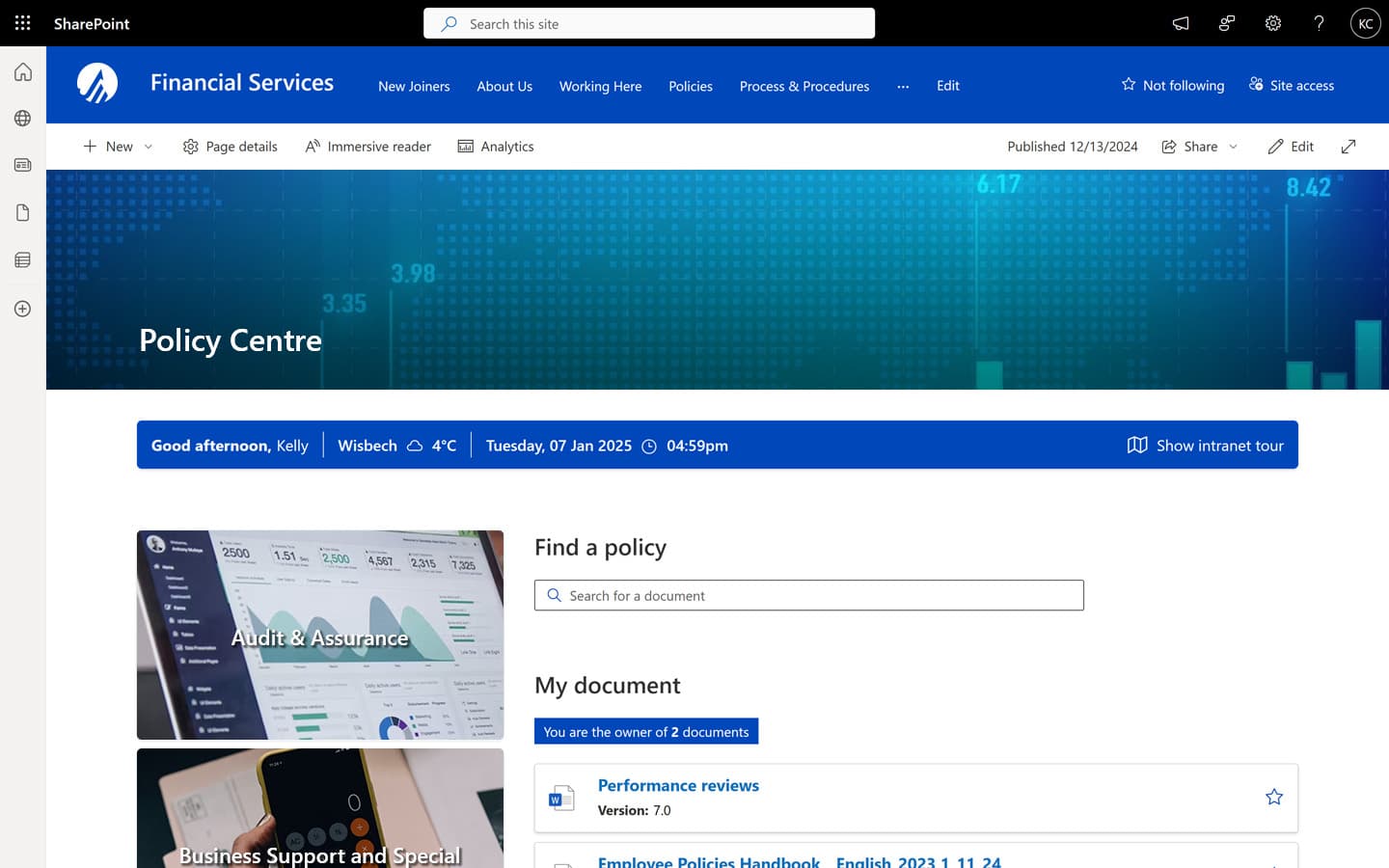
Xoralia comes with nearly twenty SharePoint web parts for pages where employees search and view documents and owners manage them, each configurable without IT help. It also includes a native Teams app and adaptive cards for the Viva Connections dashboard. Extend it with Power Automate workflows, Power BI dashboards and Power Apps.

What this fixes

  • Waiting on IT to build every document page
  • Document data locked inside one tool

05 · Security in your tenant

Your documents stay in your own Microsoft 365 tenant

Documents stay in your own SharePoint, inside your Microsoft 365 tenant, under your existing permissions and security settings. Xoralia integrates with Microsoft Purview, so you can use sensitivity labels and data classification, and Azure's global infrastructure helps you meet local data residency requirements.

What this fixes

  • Documents copied into a vendor's separate cloud
  • Another system to secure and manage

Already on Microsoft 365? We can configure a free trial in your own SharePoint tenant.

Start a free trial

How it works

Up and running in Microsoft 365, in four steps

  • 01

    Install

    Accept one Enterprise Application

    Guided installation typically takes less than 15 minutes.

  • 02

    Connect

    Use your existing libraries

    Add your existing SharePoint document libraries to Xoralia, with no migration.

  • 03

    Target

    Use your existing groups

    Send documents to your Entra ID and Teams groups.

  • 04

    Publish

    Where people already work

    Add web parts to your intranet and open documents in Teams and on mobile.

Case studies

UKAD streamlines policy management with Xoralia

UK Anti-Doping

UKAD kept its existing documents in their SharePoint library and built custom Power Automate workflows for different types of policies and different teams.

Xoralia drives compliance for US financial services

US financial services organisation

An insurance and financial planning organisation built a branded Policy Center on its SharePoint intranet with Xoralia web parts, and replicated custom workflows with Power Automate.

Frequently asked questions

Does Xoralia replace SharePoint?
No. Xoralia is a governance and automation layer inside your Microsoft 365 environment. It adds controlled document management to SharePoint's document management, and people use it from SharePoint, Outlook and Microsoft Teams.
Do our documents have to leave our SharePoint or Microsoft 365 tenant?
No. Your documents stay in your own SharePoint, inside your Microsoft 365 tenant, under your existing permissions and security settings. Xoralia governs them where they are, so nothing moves and staff keep working in the tools they already use.
Can you assist with the installation and what does it involve?
Yes, we provide guided installation. Installation typically takes less than 15 minutes and only involves you accepting the Enterprise Application that we will provide you with at the time of setup.
How does Xoralia access your data?
Xoralia uses a Microsoft verified Entra ID Enterprise Application to communicate with your Microsoft 365 tenant. Our Enterprise Application uses a mix of delegated and application permissions.How Xoralia accesses your information
Does Xoralia work inside Microsoft Teams?
Yes. Xoralia has a native Teams app, so people can open documents in Microsoft Teams and Xoralia notifications arrive there too. Your Teams admin uploads the app once in the Teams admin centre, then people pin it themselves or you pin it for everyone.Installing the Xoralia Teams app
Does Xoralia work with Copilot for Microsoft 365?
Yes. Xoralia keeps the approved, up-to-date version of each document in a governed SharePoint library, and we help you set up Copilot to treat that library as your single source of truth. Drafting with Copilot needs a Copilot for Microsoft 365 licence for each person using it.
Which Microsoft 365 licences do we need to use Xoralia?
Anyone with a Microsoft 365 licence that includes SharePoint can use Xoralia. People without a Microsoft licence, such as volunteers, can be invited in as guests. Drafting with Copilot is optional and needs a Copilot for Microsoft 365 licence for each person using it.
Can we use our existing SharePoint libraries without migrating documents?
Yes. You add your existing SharePoint document libraries to Xoralia and your documents stay where they are, with no migration. UK Anti-Doping kept its existing documents in their SharePoint library when it moved to Xoralia.
Where is our data stored?
Your documents and their version history stay in your own Microsoft 365 tenant. Assignment and acknowledgement records are held in Xoralia's Azure environment, owned and operated by Content Formula, in the region you choose during installation: UK South, Central US, Australia East or UAE North. Optional AI features are switched off unless you choose to enable them. Our data processing agreement sets out exactly what is processed where.

Ready to get started?

Connect with us to see how Xoralia simplifies compliance management inside Microsoft 365.