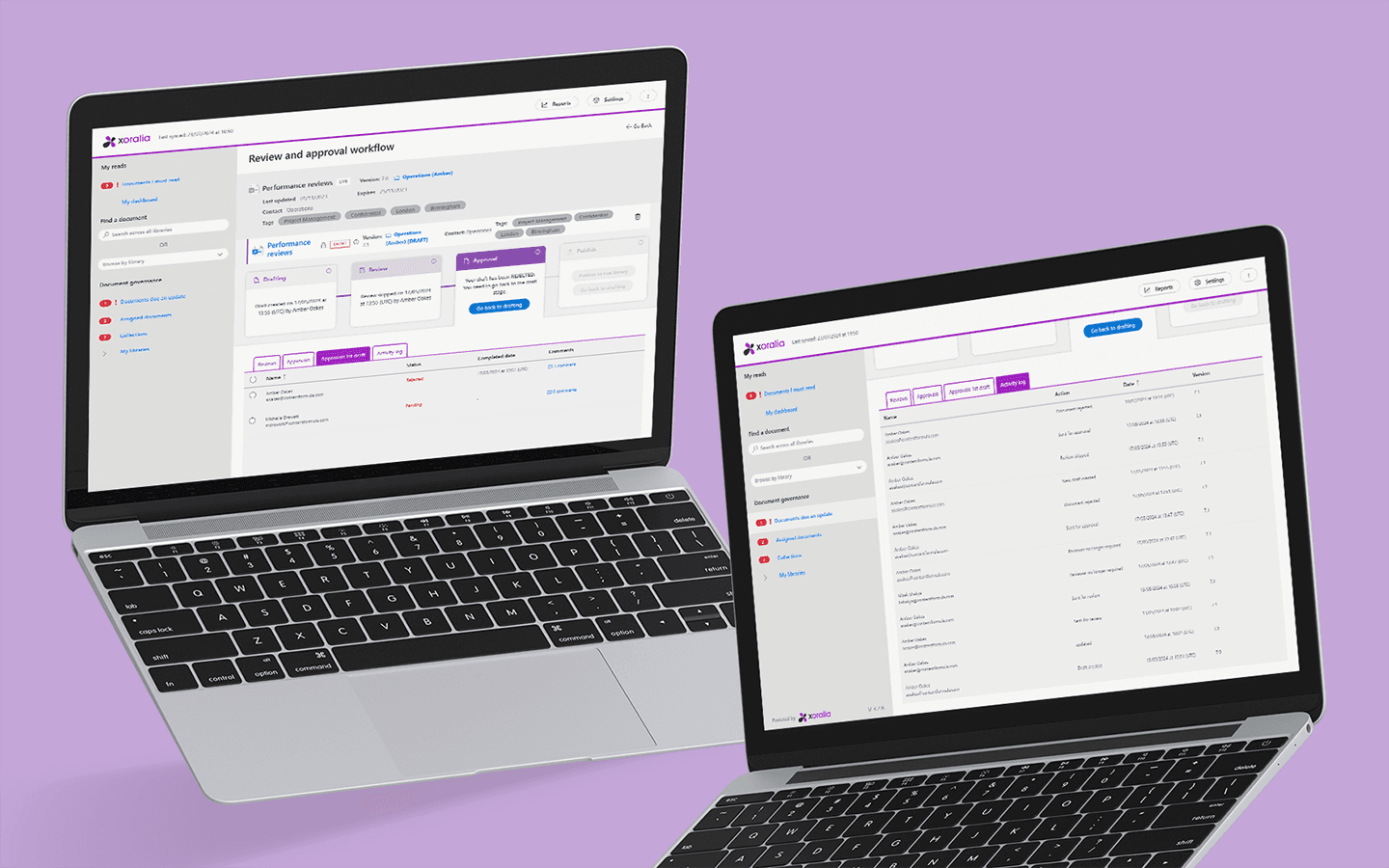
For every important document in the business: Policies, procedures, guidelines, templates, forms and certificates. All kept current, findable and governed inside your SharePoint and Microsoft 365 estate.
You need a place to store and govern procedure documentation so that people use the right version every time
For IT and Microsoft 365 owners
You want to make SharePoint work as a document management system without bringing in a new platform or building complex customisations.
Quality and management system owners
You need an integrated management system where the documents are governed as tightly as the processes.
Heads of operations
You are accountable for staff following the documented way of working.
Document management in SharePoint
Bring order to your documents
SharePoint stores your documents. Xoralia governs them. Here are the five things that change when every important document has an owner, an approved version and a review date.
01 · Ownership
Every important document has a named owner and a review date
Ownership is explicit. The owner is reminded automatically when a review is due, and overdue reviews are surfaced to administrators.
What this fixes
SharePoint holds the documents, but nobody owns them
People read the published copy. Only authors touch the source.
Nobody edits the master by accident, because the people reading it use a separate published copy. Authors work on the source and publish when it is approved.
What this fixes
Anyone with access to the library can edit the master
04 · Owner sign-off
You can see who signed off each document, when, and what changed
Owner sign-off, previous versions and who reviewed each document are kept as a matter of course, not pieced together when someone asks.
What this fixes
Nobody can say who signed off a document, or when
“Ensuring the proper approvals are completed by the correct parties.”
Copilot answers from the governed library, not from old copies
When staff ask Microsoft 365 Copilot, the answer comes from the approved, current document instead of whichever copy was saved in Teams.
What this fixes
Copilot surfaces incorrect information found in old documents
63%
of organisations either do not have, or are unsure whether they have, the right data management practices for AI. Gartner AI readiness study, 2024
Also included: changes go through the right level of review, documents that belong together stay together, and your documents never leave your Microsoft 365 tenant.
A US community bank runs Xoralia as its SharePoint document management system: 900+ procedures, reference guides, forms, videos all with department-level permissions and multi-step approval workflows.
“Xoralia’s approval workflow is especially valuable because it supports collaboration during document creation and revision while still ensuring the proper approvals are completed by the correct parties. Our old software had no approval workflow and often individual document owners would make their own updates and it wasn’t until after they were published that others also had updates that were needed.
Xoralia saves us re-work time so that the document can be updated correctly the first time.”
Why Xoralia
~10,000
documents
The number of documents that Xoralia governs in some of our biggest deployments
~200
libraries
The number of document libraries that Xoralia governs in some of our biggest deployments
0
traceable
All document actions are logged, so you can always see who did what
#1
SharePoint system rated on G2
Xoralia is the top rated document management system for SharePoint
G2 review
“Extends SharePoint rather than replacing it, keeping documents in our existing libraries”
Brandon P.
director of technology and information security, mid-market, July 2026
G2 review
“A single source of truth for our Integrated Management System documents”
Mignon B.
operational excellence manager, enterprise, December 2025
Yes, for storage. SharePoint gives you libraries, previous versions, permissions and search. What it does not give you is clear ownership, review cycles, a separate published copy, targeted distribution or sign-off from the document owner. Most organisations manage those in spreadsheets and email. Xoralia adds that layer on top of SharePoint rather than replacing it.Read our blog post on using SharePoint for document management
What does a document management system for SharePoint add that SharePoint lacks?
A named owner (or owners) for every document, review dates and schedules that are enforced and escalated, review and approval workflows with a record of who made what changes and who signed off, a published copy separated from the editable source, and one view of the current version wherever it is made available. There are lots of other details but those are the core differences.
Do our documents leave our Microsoft 365 tenant?
No. With Xoralia documents stay in your own SharePoint, under your existing permissions, retention and security settings. Most document management systems require you store your documents inside their own cloud. This means they have to be separately secured and managed from your Microsoft 365 and SharePoint estate. This adds complexity and cost.
Does it work with the SharePoint libraries we already have?
Yes. Xoralia can be implemented across existing libraries and sites and presents them as one governed set, rather than requiring everything to be moved into a single library.
Can different departments keep their own permissions?
Yes. Access is controlled at library level and follows your Microsoft 365 groups, so a department can keep its documents restricted to the people who need them while still being part of one system.
Can people edit the master document by mistake?
No. Readers see a read-only document; only named authors work on the source, and changes go through review before they are published.
Can we manage Word templates and forms that people need to download and edit?
Yes. Xoralia can be configured to govern the lifecycle of template documents so that users can download them for editing or filling out in the case of forms. This shouldn't be confused with document templates that authors might need to use when creating new documents inside Xoralia. The system can handle those too.
What kinds of documents can we manage?
Any important document: procedures, guidelines, work instructions, templates, forms, certificates, videos, registers and policies. The system supports many, many different file formats including all the Microsoft ones (docx, xlsx, pptx, visio, etc.)
How is this different from a traditional document management system such as M-Files or DocuWare?
Those platforms are separate repositories with capture, records and retention features (although M-Files content sits in your tenant but not in your SharePoint libraries). Xoralia is a governance layer that lives inside SharePoint: nothing moves, and Microsoft 365 remains the system your documents live in. This means you get a lot of flexibility, especially if you want to expose your content to Copilot or other tools and applications inside your tenant.
Does it keep previous versions?
Yes. The current version is what people see, previous published versions are kept and the full change history, with who changed what and when during reviews, is also retained.
Does it work with Microsoft 365 Copilot?
Yes. There are multiple ways that Copilot can be set up to read from trusted sources. Xoralia supports them all. We provide support and consulting to help you set up Copilot to work with Xoralia-governed libraries as your system of record/single source of truth of trusted content for AI.
See Xoralia inside Microsoft 365 Book a demo or start a free trial.