Key takeaways:
- SharePoint can store, organise and distribute your organisation’s policies and procedures and most organisations already have access to it as part of their Microsoft 365 licence. Getting it to work well for policy management, though, takes a lot of manual setup.
- Version control and Microsoft Search are both built in. But there’s no way to confirm employees have actually read the policies that matter or to chase them if they haven’t.
- Sharing a policy sends a one-off email notification - no reminders, no Teams alerts, no bulk sharing. At scale, it’s easy for things to fall through the cracks.
- Review cycles and approval workflows are possible through Power Automate, but you’ll need to build and maintain them yourself or bring in developer resource to do it.
- Out of the box, SharePoint has no mandatory read designation, no automated attestation and no compliance dashboards - the things that matter most if you’re in a regulated industry.
- Xoralia is built natively on SharePoint and Microsoft 365, so your policies stay in-house. It adds mandatory reads, automated attestation, reminders and reporting on top of SharePoint - customers achieve an average 84% attestation rate across their workforce.
How can SharePoint be used for policy and procedure management?
SharePoint can be used as a central platform for creating, storing and managing organisational policies and procedures. It allows teams to control document versions, set permissions, and ensure employees always access the latest approved policies. With features like search, metadata and automated workflows, SharePoint helps maintain compliance and streamline policy management processes across departments.
A clear, well-managed set of policies and procedures is essential for compliance and risk reduction, especially in regulated industries. Employees depend on controlled documents like SOPs, work instructions, and regulatory manuals to make informed decisions, but challenges often arise around keeping them current, accessible, and properly understood.
Using SharePoint as policy management software addresses these issues with built-in version control, permissions, and automated workflows. It streamlines updates, improves visibility, and supports audit readiness, making it a powerful tool for organisations under regulatory pressure.
What are the common policies and procedures management challenges?
Effective policy and procedure management has multiple challenges:
Why policy management software is essential
Often these challenges are exacerbated by outdated policy management methods that rely on tools not fit for purpose, rather than modern platforms like SharePoint Online, or are used in the wrong way such as:
What is SharePoint policy management software?
To overcome these typical challenges, enterprises require an effective policy and procedure management solution that will enable policy managers and administrators to quickly distribute policies to employees, deliver compliance reporting through employee attestation, and collaborate on policy updates.
SharePoint policy management solutions like Xoralia offer automation, centralisation, and enhanced reporting, addressing these pain points and transforming policy management into a more streamlined and accountable process.
Why is SharePoint ideal for policy and procedure management?
SharePoint is an ideal base technology to use for policy and procedure management. SharePoint policy management solutions have several advantages over other software because they leverage all of SharePoint’s strengths in areas such as document management and collaboration.
Let’s explore some of the key advantages of SharePoint policy management software.
Can I use SharePoint out of the box for policy management?
Although SharePoint is a highly flexible platform that offers many great features that support policy management for compliance, there are some important areas that it doesn’t cover out of the box. Regulated industries or those looking for more compliance support will need to consider custom development, advanced configuration or a SharePoint-based compliance product to fully support policy and procedure management.
Where does SharePoint fall short for policy management?
It’s helpful to be specific about where the gaps are, because they tend to be the ones that matter most in regulated environments.
Does Microsoft have a policy management software?
Microsoft does not offer a dedicated policy management software. While SharePoint provides document management features like version control and workflows, it lacks specialised policy management functionalities such as automated attestations, audit trails, and advanced reporting. For a more complete solution, the Xoralia SharePoint policy management solution integrates with SharePoint to provide the additional features necessary for a robust policy management system.
What gaps does Xoralia policy and procedure management software fill?
Xoralia software is a full policy management solution that provides a comprehensive set of features. Built on top of SharePoint and Microsoft 365, Xoralia enhances SharePoint’s capabilities by adding specialised features designed specifically for managing policies. It provides the sophistication that a robust policy management regime demands.
The table below highlights the differences between using pure SharePoint out-of-the-box for policy management and using Xoralia alongside SharePoint:
| Features | SharePoint only | SharePoint + Xoralia |
|---|---|---|
| Ease of setup | Requires manual configuration and workflows for policy management. | Quick setup with built-in workflows and features specifically for policy management. |
| User interface | Standard SharePoint interface, not optimised for policies. | User-friendly, accessible interface tailored for delivering policy management across all devices. |
| Policy lifecycle management | Requires custom workflows for policy updates, reviews, and reminders. | Automated policy lifecycle with reminders for reviews, expirations, and mandatory reads. |
| Employee attestation | No built-in attestation. Microsoft Forms can collect acknowledgements but only shows who has responded, not who hasn’t. | Track and manage employee attestations for mandatory policy reads via Microsoft Groups, with automated email and MS Teams reminders. |
| Reporting & analytics | Basic reporting; more advanced features require Power BI or additional tools. | Advanced, built-in reporting on policy adherence, reading status, and compliance tracking. |
| Search & targeting | Manual tagging required, with no way to target policies to specific audiences based on role, location or department. | Intelligent search using AI, supporting tagging, filtering, and audience targeting based on roles or locations. |
| Ongoing support | Support mainly through Microsoft’s general channels or internal IT resources. | Dedicated support with customer success teams and priority assistance tailored to policy management needs. |
| Evergreen software | Updates depend on SharePoint’s release cycle, with no specific focus on policy management improvements. | Continuous updates and new policy management features ensure the software evolves with changing business and regulatory requirements. |
Why teams choose Xoralia?
It’s helpful to be specific about where the gaps are, because they tend to be the ones that matter most in regulated environments.
See how Xoralia works in practice - from finding policies on your SharePoint intranet to managing attestations and reporting inside Microsoft 365.
What are some of the key features of SharePoint policy management software like Xoralia?
Xoralia has a number of key features that are essential for compliance.
A central policy library
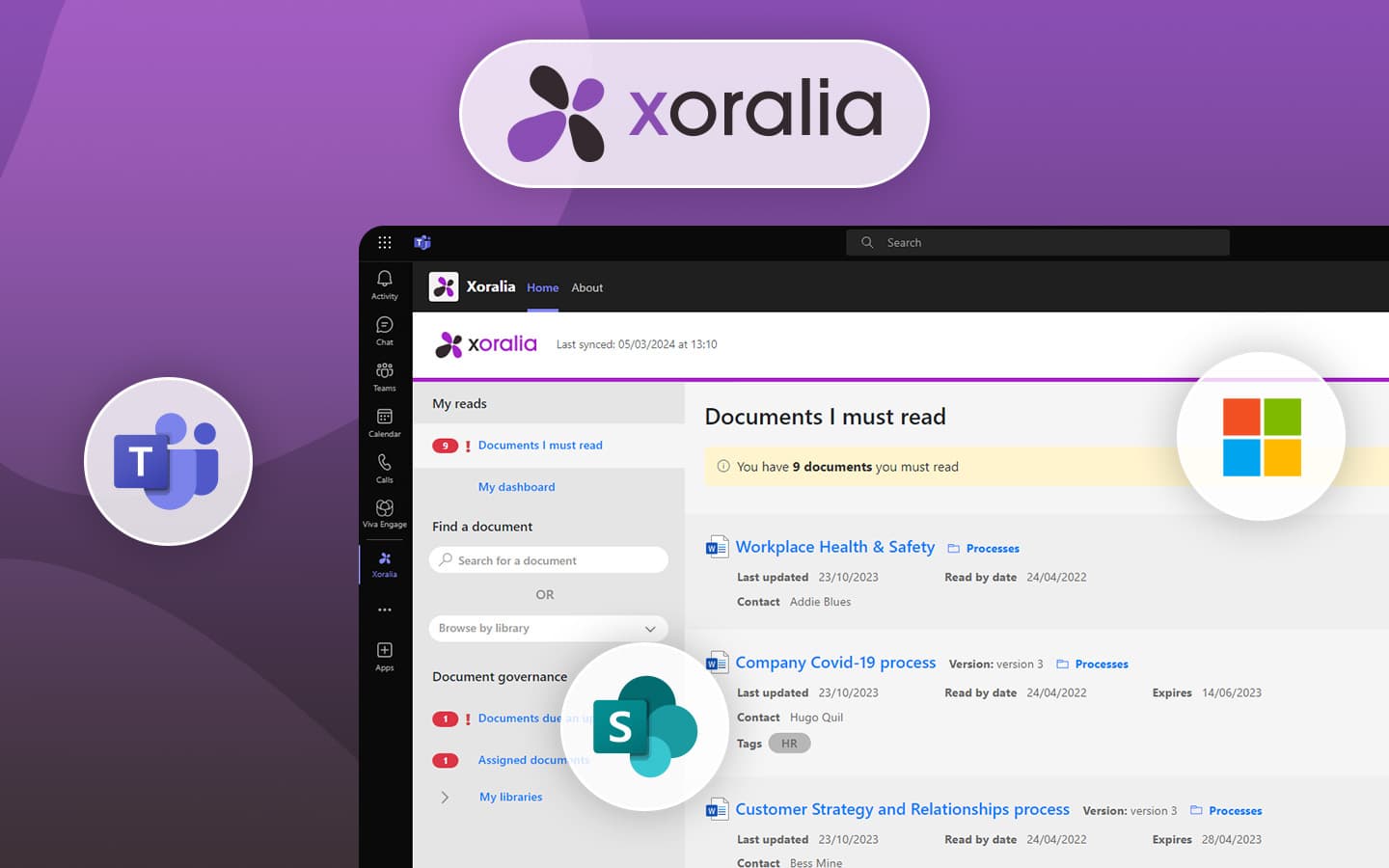
Xoralia acts as a central policy and procedure library that can be reached via a SharePoint-based intranet or via a SharePoint site. When accessing Xoralia, users are presented with an attractive and intuitive interface that has been designed to help employees find the policy documents they are looking for.
Each policy is listed with details including the title, the owner, the document format, the date it was last updated and any related instructions, such as whether it must be read. These instructions are personalised to the user. A handy summary at the top of the page also lets a user see the number of policies that they have to read.
Audit trail
Organisations may need to demonstrate to regulators or other external bodies that they have robust processes in place to manage their policies and that all employees have read policies that are considered to be mandatory. Xoralia leverages the power of SharePoint to provide a complete audit trail of document changes and also shows clear review policies in place with the ability to track these.
Employee attestations
Xoralia can help ensure employees are carrying out mandatory reads. If a policy is mandatory to read, an employee can access the document within the app and confirm attestation once it has been read. It’s built-in report then shows policy owners and admins the percentage of those who have read the policy. Additional custom questions and quizzes can also be built to ensure policies have been understood.
Reports for mandatory reads and more
Xoralia comes with powerful tracking and reporting tools. It shows policy owners the percentage of users that have read a policy, whilst administrators can access a more detailed report showing the status of all mandatory reads as well as other information relating to document status. These reports can help teams to prepare for audits and allow policy managers to see when interventions may be necessary.
Strong search facility
It is important for employees to be able to find the right policy quickly and effortlessly. Xoralia includes a strong search facility whereby an employee can enter keywords to find the policy they are looking for. Additionally, employees can filter by different categories including mandatory and non-mandatory reads, the department that owns the policy (IT, HR, Legal etc.) as well as tags custom to your organisation.
Intranet-ready integration
Xoralia has been built for companies that use Microsoft 365. A key feature is the ability to integrate Xoralia into your intranet pages. Xoralia comes with multiple ready-to-go SharePoint webparts that you can drop onto your intranet pages, where you want them. Each webpart is configurable and displays dynamic information personalised to the individual intranet user.
Automated policy lifecycle management
Xoralia comes with policy lifecycle management features that help policy owners keep their documents up to date. This includes automated review reminders as well as a sophisticated policy creation workflow that ensures a new policy or any changes is reviewed by all the necessary stakeholders and experts, again supporting compliance.
Automated notifications
Notifications ensure that policy owners are reminded to review the policies they own. Xoralia also has a simple dashboard that displays when a policy is due for review or has expired.
Frequently asked questions
Why is SharePoint ideal for policy and procedure management?
Can SharePoint manage policies out of the box?
How does Xoralia enhance SharePoint policy management?
About the author

Dan Hawtrey
CEO and product lead
Dan Hawtrey is CEO of Content Formula and the driving force behind Xoralia, a policy management platform built natively on Microsoft 365. Dan writes regularly on policy management, compliance, and the evolving role of AI in how organisations manage knowledge. His articles are grounded in real conversations with the companies and teams using Xoralia day to day.